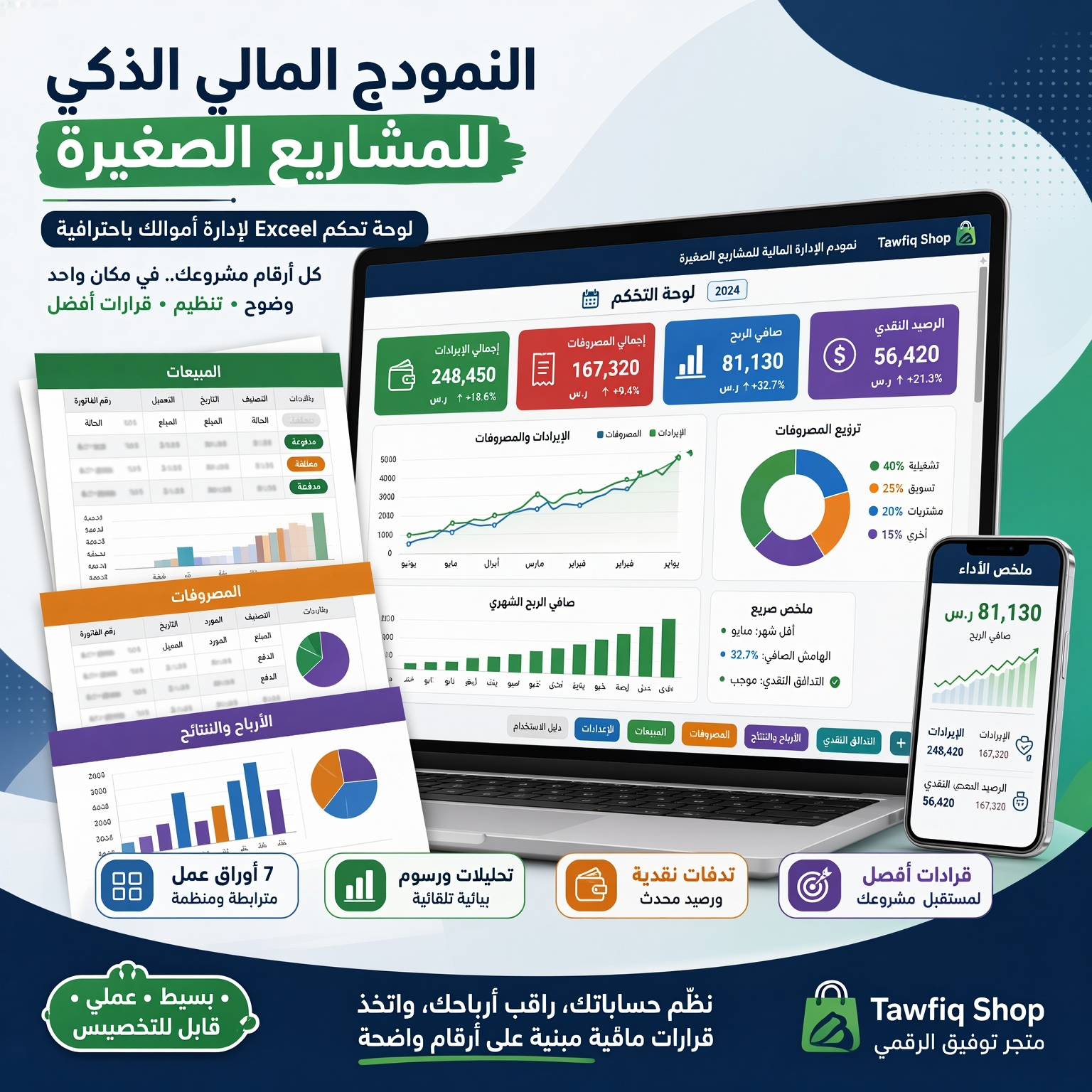
Small Business Financial Dashboard - Excel Template
📊 Smart Financial Template for Small Businesses – Excel dashboard to manage your finances professionally Do you own a small business and want to take control of your financial numbers? Do you find it difficult to track revenues and expenses, determine real profits, and monitor cash flows? With the Small Business Financial Template from Tawfiq Shop, you can organize your financial data and monitor your business performance through a practical Excel file that gathers the most important indicators and calculations in one place. Say goodbye to scattered spreadsheets and manual calculations, and start using an organized system that helps you understand your financial position and make better decisions. 🚀 What does this template offer you? ✅ Interactive financial dashboard: track total revenue, expenses, net profit, net margin, cash balance, and average monthly profit. ✅ Sales and invoices management: record invoice number, date, client, description, amount, payment status, and received amounts. ✅ Expense organization: categorize expenses, record supplier, date, payment method, amount, and applied tax/fee. ✅ Profit and performance analysis: monitor revenue, expenses, and net results monthly; identify the best and worst months for profit. ✅ Cash flow tracking: monitor receipts, payments, investments or loan repayments, and follow closing cash balance. ✅ Visual data analysis: benefit from charts, expense breakdowns by category, and a quarterly cash flow summary. 📦 What does the Excel file include? The template consists of 7 interlinked worksheets: 1. Guide: five clear steps to run the template. 2. Dashboard: a visual summary of key financial indicators. 3. Settings: customize business name, year, currency, tax/fee rate, expense categories, and budgets. 4. Sales: record invoices, payment statuses, and amounts. 5. Expenses: record expenditures, categorize them, and track status. 6. Profit & Loss: automatic monthly analysis of revenues, expenses, and margins. 7. Cash Flow: track opening balance, receipts, payments, and closing balance. ⚙️ Features that make financial management easier - Automatic calculations using Excel formulas. - Space to add up to 400 transactions in both the sales and expenses sheets. - Cells designated for manual input and others for automatic calculation. - Drop-down lists to simplify data entry. - Ability to customize currency, fiscal year, and tax/fee rate. - Expense categories with monthly budgets. - Charts and indicators to track performance. - Template editable to suit your business type. 🎯 Who is this product suitable for? - Small and medium business owners. - Store and shop owners. - Entrepreneurs and startup founders. - Freelancers and service providers. - Business owners who want to organize their accounts without using complex accounting software. 💡 How to get started? 1. Enter your business data in the Settings sheet. 2. Record your invoices in the Sales sheet. 3. Add your expenses and their categories. 4. Let the Profit & Loss and Dashboard sheets calculate the indicators automatically. 5. Review charts and cash flows to monitor your business performance. 🌟 Better control of your money starts with organizing your data! It’s not enough to know how much you sold; you need to know how much you spent, how much you earned, and how much cash is available. Organize your accounts, monitor your profits, and make financial decisions based on clear numbers using the Tawfiq Shop Excel financial template. 🛍️ Discover more practical digital tools at Tawfiq Shop – Tawfiq Digital Store.
Share this product
After a confirmed purchase, your downloadable files are made available only in your account.
Buyer reviews
Share your experience
Sign in to review after purchase
Discover more
Related products

30 Canva Restaurant Templates Pack – Professional Editable Posts in Arabic, French, and English (ZIP file)

30 Marketing Templates Pack for Clothing Stores - Presentation - Editable in Canva (English Version)